Quick answer
TL;DR
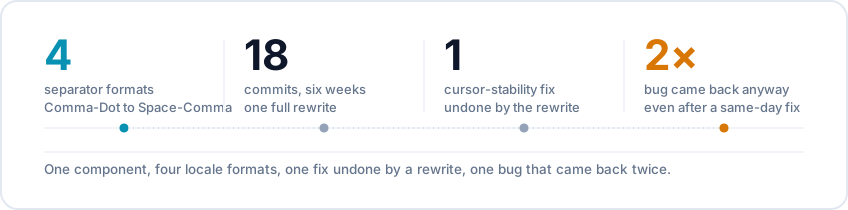
| Problem | A price field has to show locale-correct grouping/decimal separators live while typing, without corrupting the value or the cursor |
| What I did | Built a Vue component that reformats the display string on every input event and repositions the cursor based on separator count |
| Why it mattered | PreBook's payment settings support four separator conventions - a native <input type="number"> supports none of them correctly |
| Team | Solo |
The problem
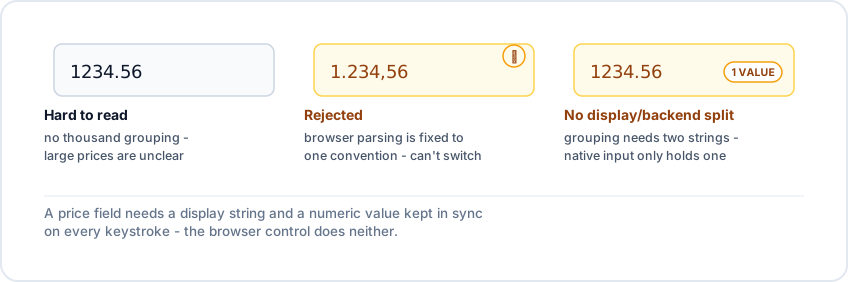
- 1234.56 is technically valid but hard to scan - a merchant needs 1,234.56
- Adding thousands grouping means two strings for one value: what's shown on screen, and the plain number sent to the backend, kept in sync on every keystroke
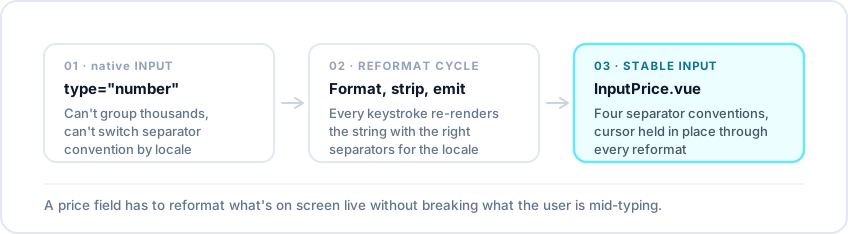
- A native number input enforces one separator convention, browser-wide, and rejects anything else
- PreBook lets each store pick its own separator convention, so type="number" was never going to work - it had to be a custom component
Why locale ambiguity is genuinely hard
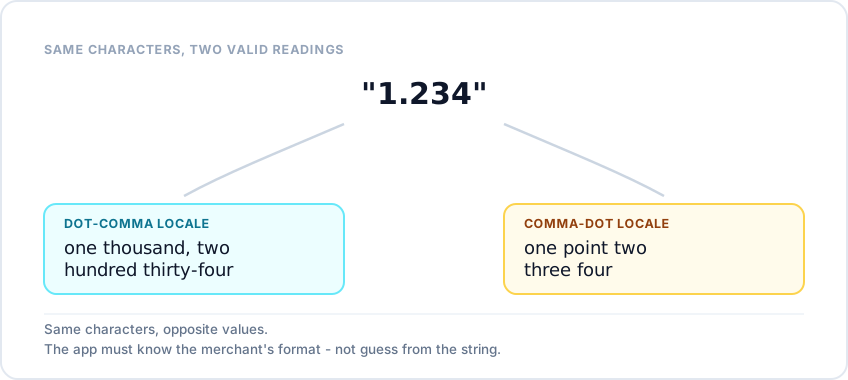
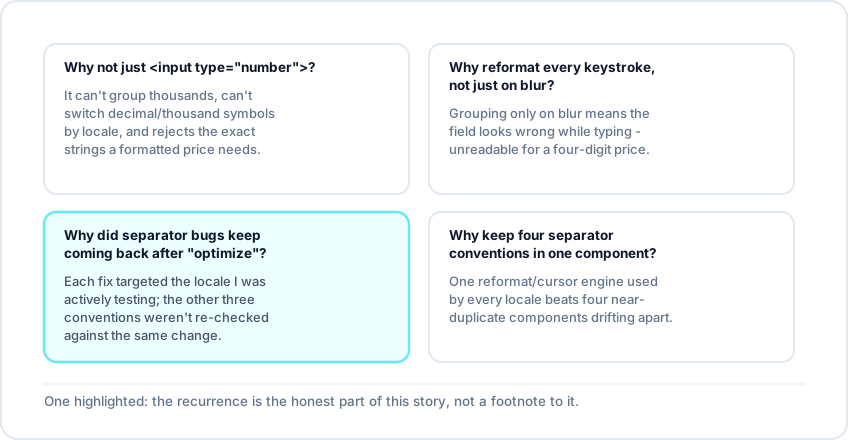
- 1.234 isn't one number - it's two, depending on the convention reading it: one thousand two hundred thirty-four under dot-comma, or one-point-two-three-four under comma-dot
- There's no way to resolve that by inspecting the characters - the component has to be told which convention is active and stick to it
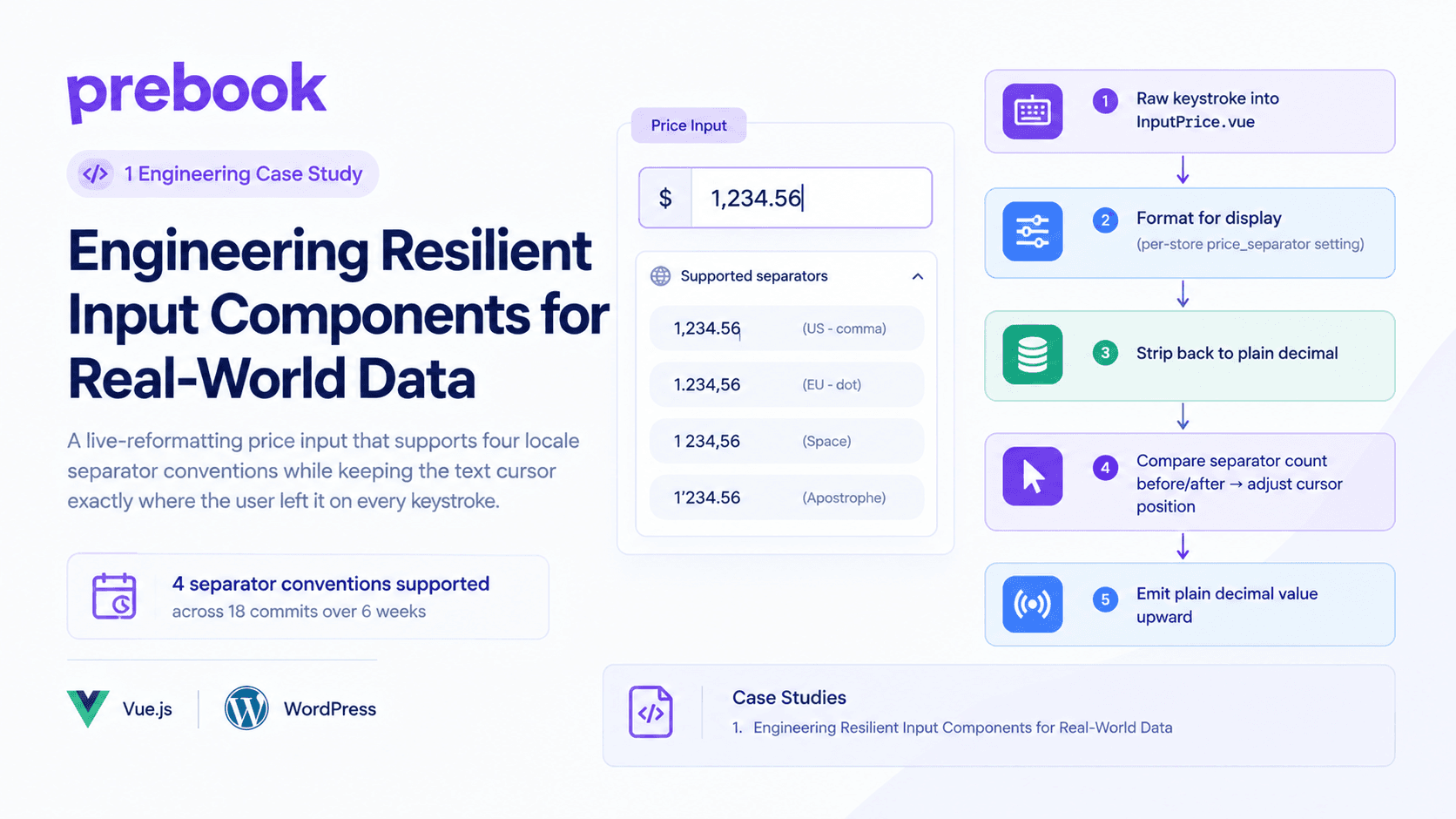
- InputPrice.vue keeps a separatorMap for all four conventions PreBook supports (Comma-Dot, Dot-Comma, Space-Dot, Space-Comma), and every format/parse call reads from the store's price_separator setting
- The cycle: format for display, strip back to a plain decimal on every keystroke, emit upward. Format, strip, emit, repeat
Keeping the cursor stable
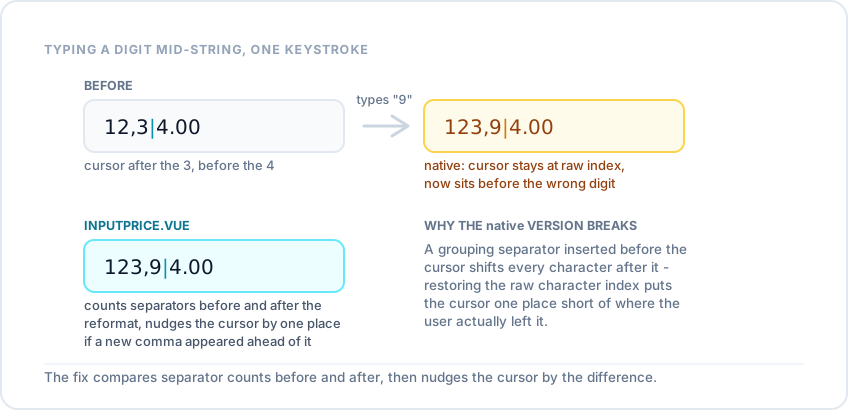
- Reformatting on every keystroke can change the string's length ahead of the cursor - typing a digit that pushes the integer part from three digits to four also inserts a new thousands separator
- If the cursor just gets restored to its old index, it now sits one character short of where the user left it, so it visibly jumps backward every few keystrokes
- The fix: compare how many thousands separators exist before and after each reformat. If a new one appeared ahead of the cursor, nudge the cursor forward by one; otherwise leave it alone
- A small correction, but it's the difference between a field that feels broken and one that doesn't - and it only shows up once you test with real multi-digit prices, not single test values
FAQ