Dhaka, Bangladesh
Case Studies

Native Drag-and-Drop Without a Library

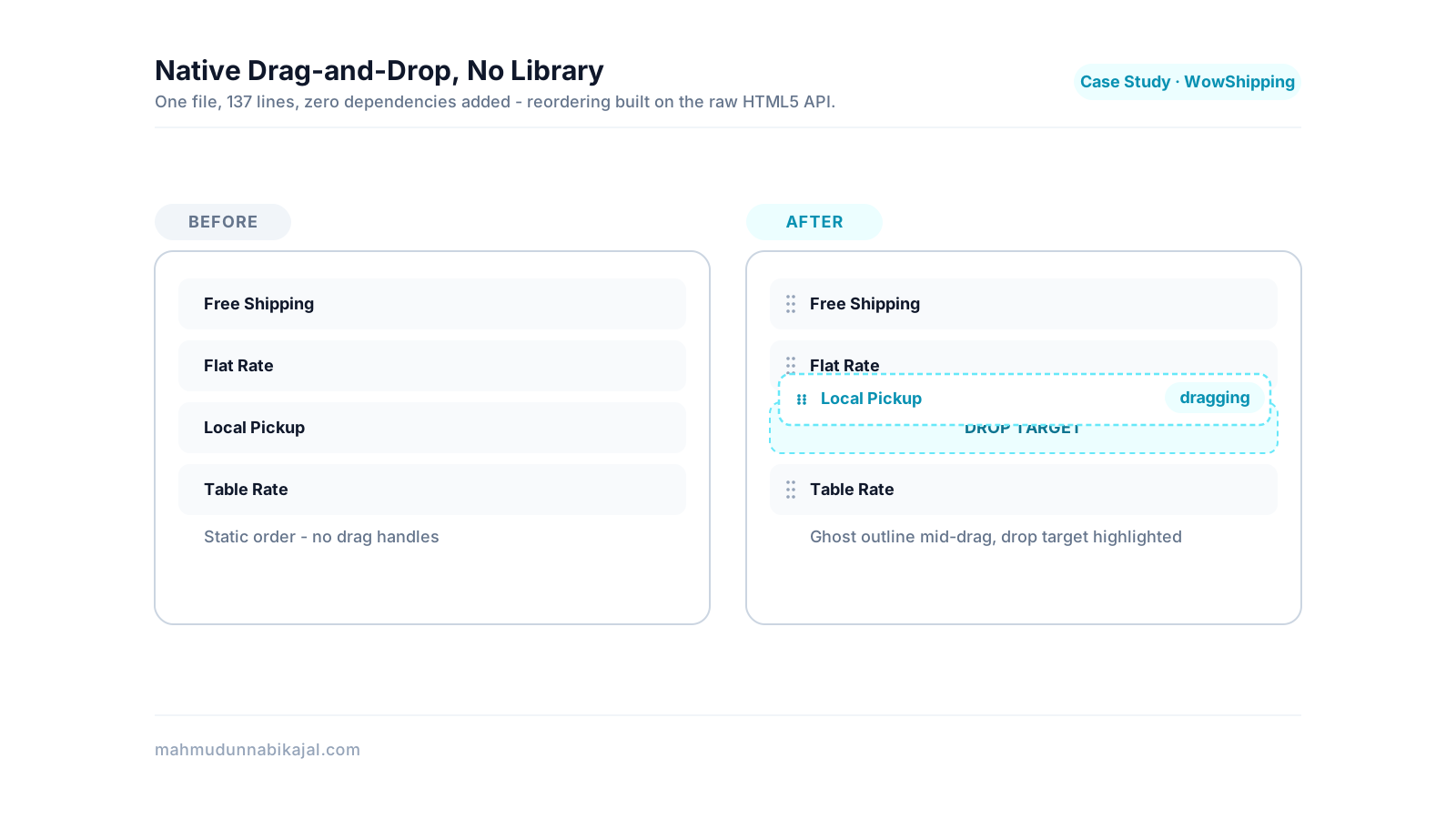
Cover image for the case study "Native Drag-and-Drop Without a Library"
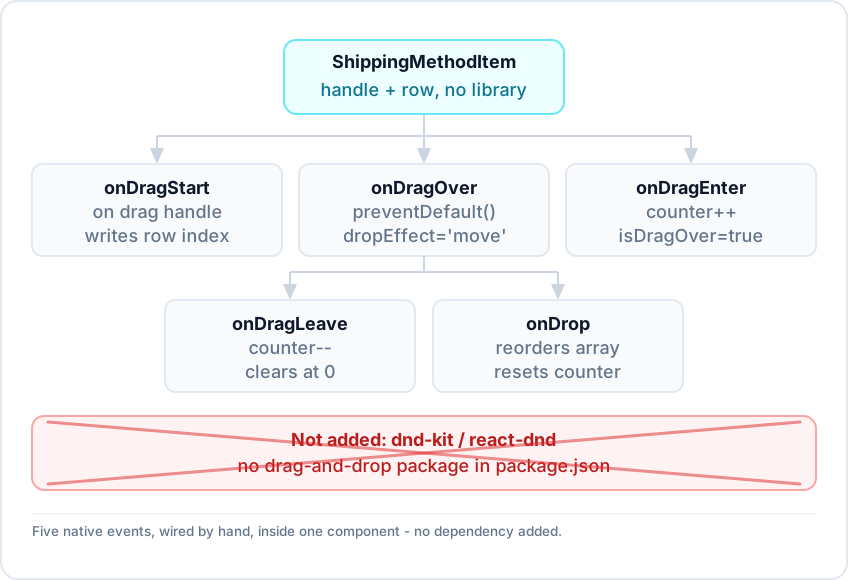
ShippingMethodItem wired directly to five native drag events, with a crossed-out dnd-kit / react-dnd card showing what wasn't added.
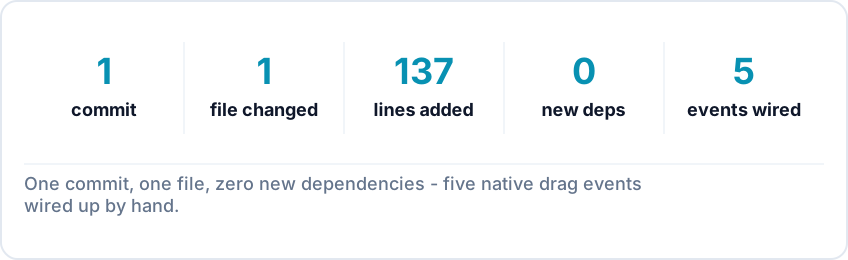
Reordering shipping methods in WowShipping's rule editor runs on the browser's native HTML5 Drag and Drop API, wired up directly inside one component. No drag-and-drop library was added to package.json. The change touches one file and adds 137 lines: draggable, five drag event handlers, and e.dataTransfer wired up by hand. That includes a manual ghost element for the drag preview and a ref-based counter that stops the drop-target highlight from flickering. It's the second case study in the WowShipping series, following the Select component trade-off →.
One commit, one file, 137 lines added, zero new dependencies, five native drag events wired up.
TL;DR summary
What shippedDrag-and-drop reordering of shipping methods in the rule editor
HowNative HTML5 Drag and Drop API (draggable, dragstart/over/enter/leave/drop)
New dependency addedNone - no drag-and-drop library in package.json
ScopeOne file, one commit, 137 insertions / 1 deletion
Notable fixRef-counter pattern to stop dragenter/dragleave flicker on nested child elements
TeamBuilt and maintained as shared codebase work
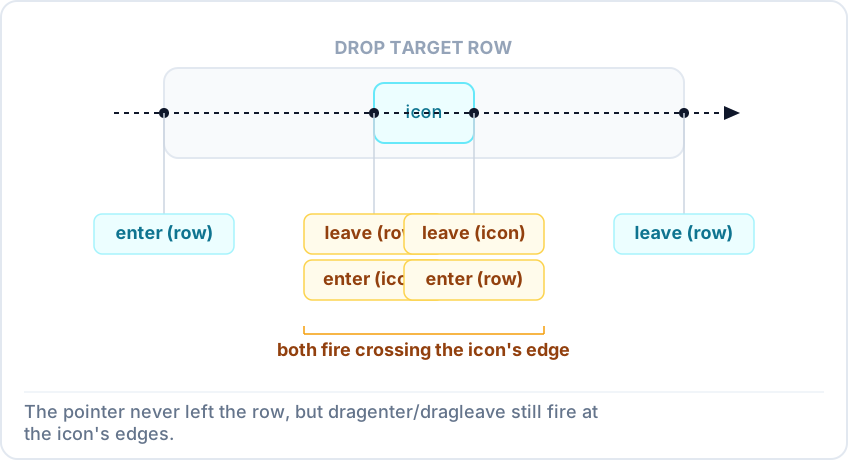
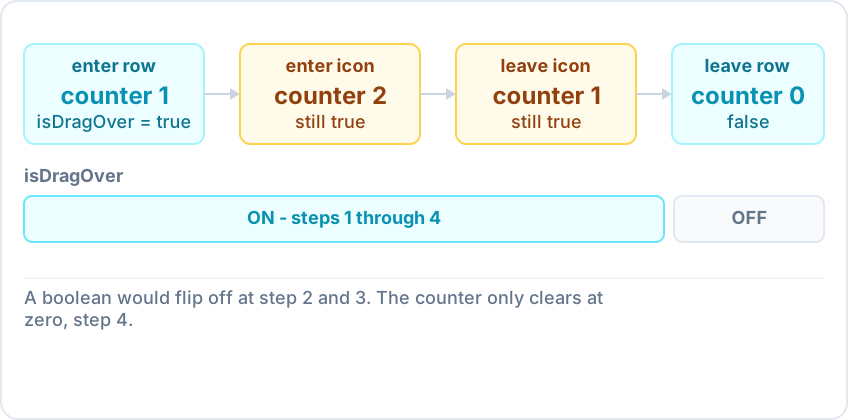
A pointer path crossing from a row into a nested icon and back out, with dragenter/dragleave firing at each boundary even though the pointer never left the row.
The shipping-method list in the rule editor needed to become reorderable by drag-and-drop: pick up a row, drop it somewhere else, and update the array order. The naive way to implement this is to toggle a "hovering" boolean on dragenter and clear it on dragleave. That has a well-known bug: dragenter and dragleave fire on every element boundary the pointer crosses, not just the drop target's outer boundary. If the drop target contains child elements - an icon, a label, a handle - crossing from parent into child fires a dragleave on the parent and a dragenter on the child, even though the pointer never left the row. The boolean-based highlight flickers as a result.
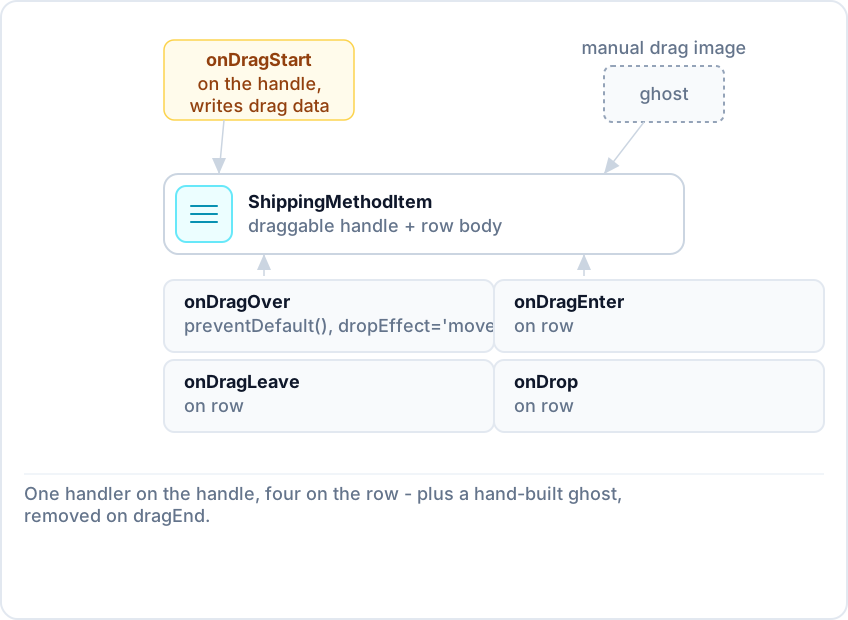
A ShippingMethodItem row with its drag handle, annotated with the five event handlers: onDragStart on the handle, and onDragOver/onDragEnter/onDragLeave/onDrop on the row itself, plus the manually built ghost element.
The change adds a dedicated drag handle inside ShippingMethodItem, marked draggable, with an onDragStart handler that writes the row's index into e.dataTransfer under a custom MIME type (text/wtrs-index, with a text/plain fallback). The row itself listens for onDragOver (calls e.preventDefault() and sets dropEffect = 'move', required for the drop to be permitted at all), onDragEnter, onDragLeave, and onDrop. On dragStart, the code also builds a ghost element by hand: it reads the dragged row's getBoundingClientRect(), creates a div sized to match, styles it with a dashed border and translucent background, and passes it to e.dataTransfer.setDragImage(). It's removed again on dragEnd. None of this required a new dependency. package.json has no dnd-kit, react-dnd, or similar package - the entire interaction is native browser API calls inside the existing component.
A ref-based counter incrementing on each dragEnter and decrementing on each dragLeave, with the highlight only clearing once the counter returns to zero.
Instead of a boolean, the drag handlers mutate a ref-based counter. Entering increments the counter and sets isDragOver to true unconditionally. Leaving decrements it (floored at zero) and only sets isDragOver back to false once the counter reaches zero. Because the counter tracks net "still inside the row somewhere" rather than the state of the single boundary that last fired, crossing into a child element no longer clears the highlight. The count just goes from 1 to 2 and back to 1, never touching zero until the pointer actually leaves the row. The drop handler resets both isDragOver and the counter to a known-zero state directly, rather than relying on further dragLeave events to unwind it - a drop can end the drag sequence without the counter naturally returning to zero on its own.
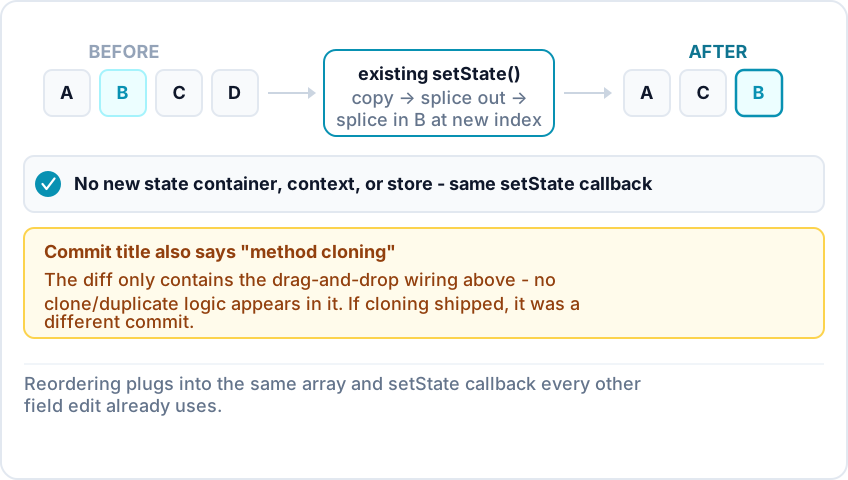
The existing shippingRulesForm.shippingMethods array flowing through the existing setState call, with a splice-out/splice-in step shown inline rather than a separate state container.
The drop handler reads the source index back out of e.dataTransfer, finds the current index of the row it was dropped on by matching method.id, and reorders the array if both are valid and different. The reorder itself is a copy-splice-splice: copy the shippingMethods array, splice the moved item out of its old position, splice it back in at the new one, and return a new shippingRulesForm object with the updated array. All of this runs inside the existing setState callback already used elsewhere in this component for every other field edit. No new state container, context, or store was introduced for this feature. The drag-and-drop logic reads from and writes to the same shippingRulesForm.shippingMethods array the rest of the rule editor already manages, updated immutably in the pattern the surrounding code already used. The commit's title also mentions "method cloning" alongside drag-and-drop, but the diff for this commit touches only the drag-and-drop wiring - no clone/duplicate action appears in it. If cloning shipped, it was in a different commit not covered by this case study.
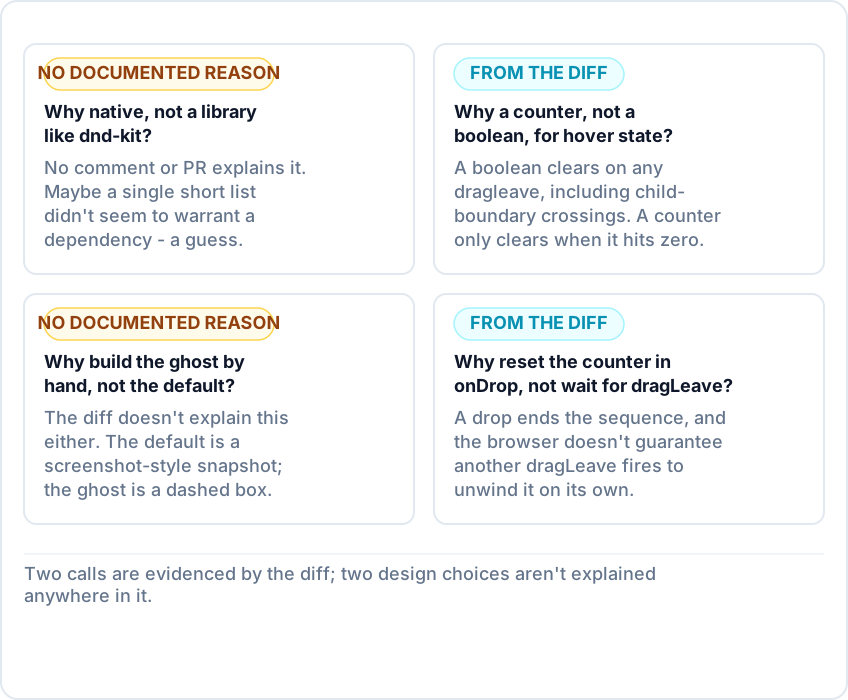
Four why-framed questions paired with compressed answers, with the library-choice and ghost-styling questions marked as open, honest non-answers rather than confident ones.
Why implement drag-and-drop natively instead of using a library like dnd-kit? No documented reason exists - there's no comment or PR description explaining the choice. Reordering a short, single list may not have seemed to warrant a new dependency, but that's a guess, not a confirmed fact. Why use a ref-based counter instead of a boolean for the hover state? A boolean toggles off on any dragleave, including the ones fired when the pointer crosses from a row into a child element inside it, which caused the highlight to flicker. A counter only reaches zero when the pointer has actually left the row's whole boundary, since child-boundary crossings net out to the same count. Why build the drag ghost manually instead of using the browser's default drag image? The diff doesn't explain this choice either. The default is typically a screenshot-style snapshot of the dragged element; the manual ghost here is a plain dashed-outline box sized to match - a visual choice the code shows but doesn't explain. Why reset the drag-over counter directly in the drop handler instead of relying on the next dragLeave to unwind it? A drop ends the drag sequence, and the browser doesn't guarantee a further dragLeave will fire to bring the counter back to zero on its own. Resetting both the counter and the hover flag explicitly in the drop handler avoids leaving the highlight stuck on if that event never arrives. Other case studies in this series look at a component-library naming convention overhaul → and the shipping rules to shipping methods rebrand →.
Part of the WowShipping frontend engineering case study series →
On this page
Quick answer
TL;DR
The problem
The implementation
The flicker fix
Where it plugs into existing state
FAQ